ufind
ufind
PhotoLog
Capture, annotate, and locate your photos Optionally with Digital Fingerprint
Visit before voting
Take a quick look at PhotoLog first. Your vote unlocks when you return.
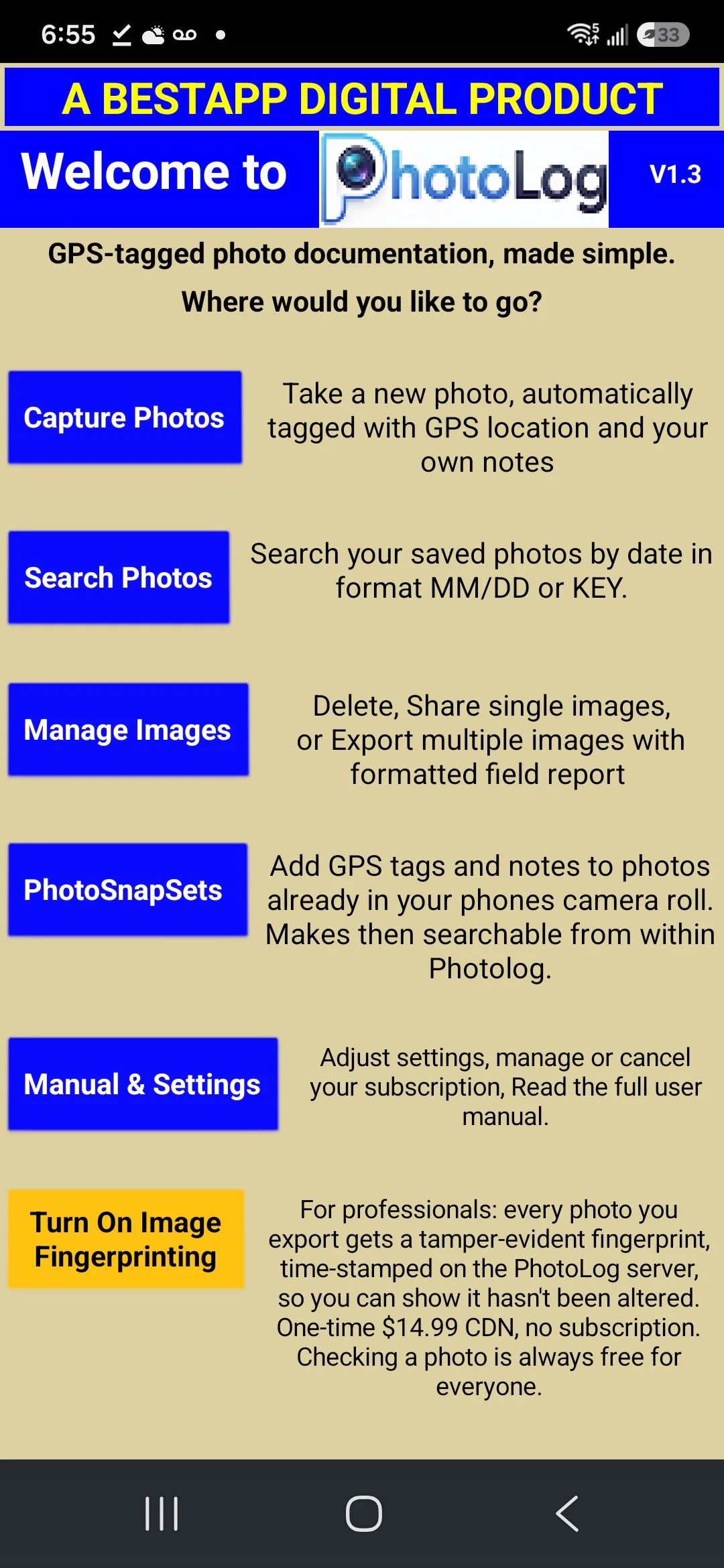

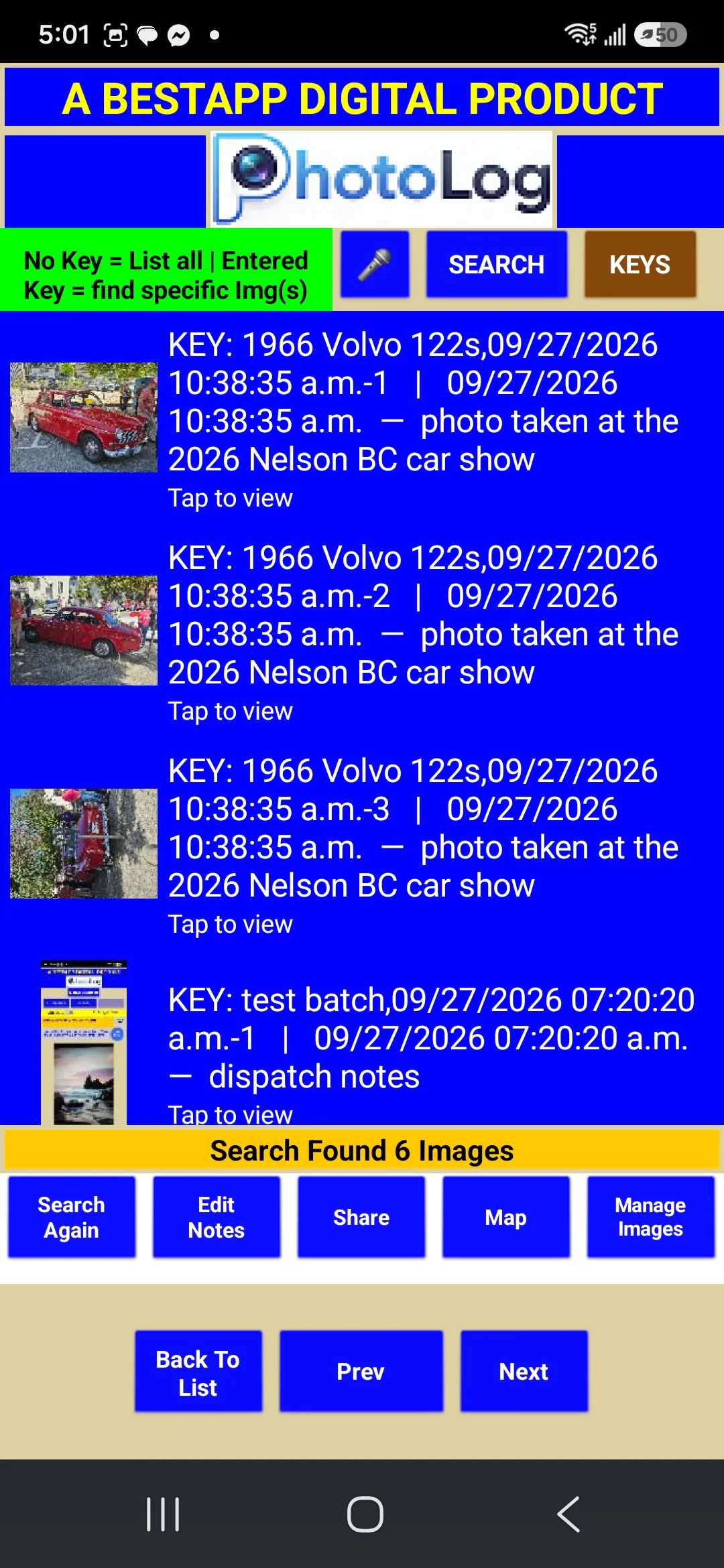
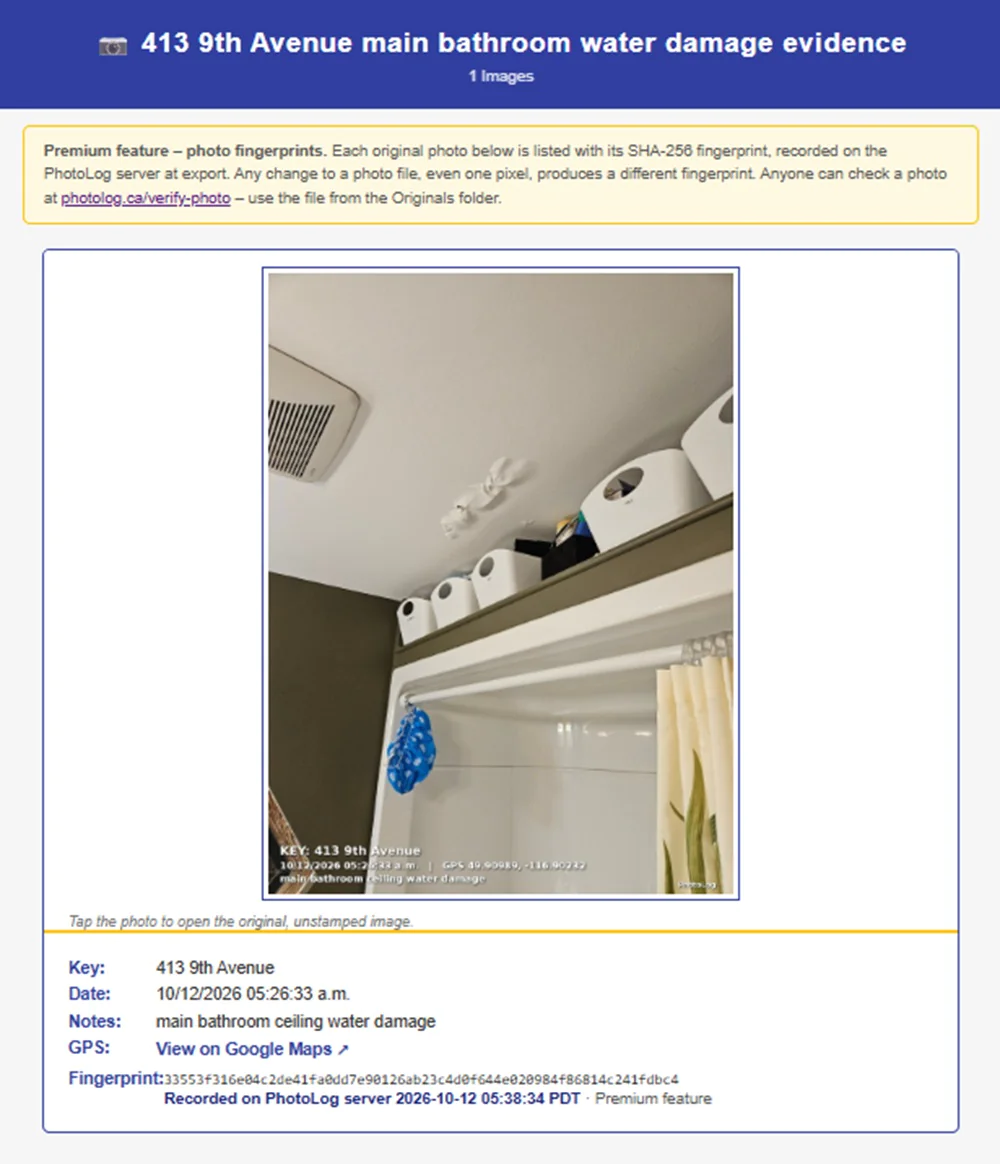
PhotoLog helps users capture, annotate, and locate photos for more organized visual documentation. Designed for productivity, project management, and photography workflows, it turns images into clearer records, with an optional Digital Fingerprint for added identification context.
PhotoLog is a photo organization and annotation tool built for people who need more than a simple image gallery. It helps users capture, annotate, and locate photos, making it easier to keep visual records tied to projects, documentation, or day-to-day workflows. With an optional Digital Fingerprint, PhotoLog also points to a more structured way to identify or track images when accuracy and traceability matter.
For teams and individuals working across productivity, project management, and photography use cases, PhotoLog focuses on turning scattered images into usable records. Instead of leaving photos buried in folders or camera rolls, it supports a workflow where images can be documented and found again when needed.
Key Features
- Capture photos as part of an organized recordkeeping process
- Annotate images to add context, notes, or important details
- Locate photos more easily when reviewing past work or documentation
- Use an optional Digital Fingerprint for added image identification context
- Supports workflows that connect visual information with projects and tasks
- Available with a freemium pricing model for accessible entry
How It Works
PhotoLog centers on a simple but practical workflow:
- Start by capturing photos you want to document
- Add annotations so each image carries useful context
- Use the system to locate photos later instead of searching manually
- Optionally apply the Digital Fingerprint feature where image identification is important
This makes PhotoLog relevant for users who rely on photos as part of reporting, tracking progress, documenting conditions, or maintaining organized visual references.
Why Choose PhotoLog
PhotoLog stands out by combining image capture, annotation, and retrieval in one focused workflow. That combination is especially useful when photos are not just creative assets, but working records that need to stay understandable over time.
- Reduce confusion by attaching context directly to images
- Stay organized with a clearer way to manage visual documentation
- Find what you need faster when reviewing past photos
- Support project workflows where images play a practical role
- Add optional identification structure with Digital Fingerprint
For users who need a lightweight way to make photos more searchable, more informative, and more useful in everyday work, PhotoLog offers a clear and practical approach.
- 1 Capture visual records with more context
- 2 Annotate photos to make details easier to understand
- 3 Locate past images faster when reviewing work
- 4 Organize project-related photos more clearly
- 5 Reduce time spent searching through image folders
- 6 Add identification context with Digital Fingerprint
-
Project teams who need organized photo documentation -
Field workers who need to capture and annotate visual records -
Photographers who want better context for stored images -
Operations staff who need to locate past photos quickly -
Individuals who manage image-heavy projects or reports
PhotoLog is used to capture, annotate, and locate photos. It is suited to workflows where images need to serve as organized records rather than just stored files.
PhotoLog fits users in productivity, project management, and photography contexts. It can be useful for anyone who needs to document work visually and find those images later with more context.
Annotation means adding information or notes to photos so they are easier to understand later. This helps turn an image into a more useful reference for projects, documentation, or review.
PhotoLog mentions an optional Digital Fingerprint feature. Based on the supplied information, it appears to provide additional image identification context, though no further technical details were provided.
Yes, PhotoLog is relevant for project documentation because it combines photo capture, annotation, and retrieval. That makes it easier to keep visual records connected to ongoing work.
PhotoLog uses a freemium pricing model. This means there is a free way to get started, though specific plan details or limits were not provided in the supplied information.
Related Tools

Find the perfect meeting spot between friends easily

Discover The Best AI Tools

Everything You Need for a Seamless Gmail™ Experience

Build smarter with curated AI tools, SaaS products, and developer tools

The Native AI Study Assistant Built for macOS.

Run pseudocode like real code
No Deals Available
Currently, there are no special deals or discounts available for this tool.
Asking Price
$17,000
TTM Revenue
$0
TTM Profit
$0
Last month revenue
$0
Business Details
- Date founded
- 2025-04-01
- Team Size
- 1
- Contact Email
- [email protected]
- Tech Stack
- Wasp, React, Shadcn-UI + TailwindCSS, Prisma + Postgres, hosted on fly.io
✨ More Premium
View all
AI Text That Sounds Human

what your calendar should be

Fast and secure file uploads with FileFast

Ensure accuracy with multi-model fact-checking and live source verification

Free browser football games with career simulators, daily challenges, quizzes, and XI builders.

Get exposure with a banner and 30-day placement on all tool pages.